Keeping Shai-Hulud off the Mélange

Unless you’ve been keeping your head in the sand, you may have heard of Shai-Hulud. I’m not talking about the giant worm from Frank Herbert’s Dune novel, but the self-replicating supply-chain worm that has targeted the npm registry multiple times. The mélange here does not refer to Dune’s spice, the mythical substance that grants prescience or extends your lifespan. Instead, drawing on the word’s French etymological roots, I use it to refer to the strange mixture of projects and personal documents that we developers typically have on our workstations.
As developers, we have the tendency to keep powerful authentication tokens and SSH keys on our machines. They sit side by side in project directories, ready to be harvested. Meanwhile, we fearlessly execute code freshly downloaded from the internet (via npm or any package registry). When that code breaks containment, it can compromise not only a given project’s code and its secrets, but also every other file and anything else of value that may lie on our computers.
Worse still, we are now increasingly giving the keys to our kingdoms to autonomous AI coding agents, with sometimes catastrophic consequences. Such agents may be subject to prompt injection, or they may be so eager to accomplish their task that they will happily break containment, in a way that is reminiscent of the paperclip maximizer parable, popularized by Nick Bostrom.
Contents
- TL;DR: How I protect myself from Shai-Hulud
- Dev Environment Isolation
- Supply-Chain Attack Protection
- SSH Key Hygiene
- Secrets Management
- Conclusion
TL;DR: How I protect myself from Shai-Hulud
Shai-Hulud was a call to action. Consequently, I have been rethinking my working practices and sharpening my tools to reduce the blast radius of such compromises, since it is a given that supply-chain attacks are here to stay.
Having a computer dedicated solely to development is currently off the cards due to the increased cost of hardware caused by the AI bubble and RAMageddon in particular. I have also been very curious about Linux on the desktop (Omarchy), and I am on the fence about upgrading my hardware at this time.
What follows is what I have decided to do, using my current hardware (a Mac Studio M1) and my current usage patterns. These solutions may not fully work for you, and in fact, they do not fully work for me either.
One thing I should get out of the way is that I do not use GitHub Actions to build anything, let alone deploy to production. I use my own “compute” for builds, and I do not give production secrets to online third parties like GitHub or any fancy OIDC trusted compute providers.
Dev Environment Isolation
- All builds occur in dev containers instead of running loose directly on my computer.
- Developer tools (VS Code, Cursor, Zed, etc.) are easily configurable to run the dev environment in a container via extensions.
- When dev containers cannot be used (e.g., Electron apps), I use VMs and connect the editor via SSH. This is a bit heavier than the above, but the experience remains comparable.
- For simple cases, I use Microsoft Dev Container images for VS Code (e.g., just Node.js/npm).
- For more complex cases or for VMs, I tend to use mise or devenv. These tools typically let you pin exact tool versions in lock files to get reproducible builds.
- AI agents also run in dev containers (in my case, mostly Cursor, Codex, and Claude).
- I use OrbStack on macOS instead of the official Docker Desktop, as it offers better performance. The free tier is sufficient for my needs.
Prevent Supply-Chain Attacks
- Extension auto-updates are disabled in the base VS Code IDE (or forks like Cursor), but I update them regularly.
- I force all the extensions that can run in the context of the dev container to run there.
- I configure package managers like
npmto:- Not install recent packages (say, less than 7 days old).
- Not run install scripts automatically without opt-in (that’s actually the default now).
- I use the free tier of the Socket Firewall (
sfw) to scan packages when possible (e.g., it won’t work for NuGet/C# packages without paying lots of dinero). - I alias the
npm,npx,cargo, etc. commands tosfw, so I don’t have to remember to usesfwwhen I type commands.
Access Token Hygiene
- All access tokens (AWS, Cloudflare, etc.) are IP-restricted and project-specific.
- Access tokens are configured to use the minimum set of permissions needed per project.
- No god-mode tokens in the global
~/.awsdirectory or local.envfiles. No exceptions. - All tokens are always encrypted and persisted on disk using
age. - Decryption requires user interaction (Touch ID), and the decryption key is held in hardware (TPM, Secure Enclave) via age-plugin-se.
SSH Keys
- For access to servers, I now use Secretive, which leverages the Secure Enclave and requires interaction with Touch ID.
- For GitHub, I use normal SSH keys with strong passwords stored in macOS Keychain.
- For GitHub access in VMs, I use deployment keys with permissions restricted to a single project instead of global profile keys that can access all projects.
Known Limitations: Production
This article focuses on the risks of a developer’s workstation being compromised via a Shai-Hulud–style supply-chain attack. Typically, these attacks harvest credentials and may use them to propagate to other projects.
It is worth noting that this is not the only threat that can arise from a compromised package. In theory, infected packages could lie dormant and only exhibit their nefarious behavior after deployment to production, for instance, by weakening the authentication stack and opening a backdoor.
While I am not aware of any precedent for such attacks, they would be more insidious than typical Shai-Hulud–style attacks and harder to detect and thwart. The steps described below would certainly help, but I am under no illusion that they are sufficient.
Monitoring and hardening a production environment is a vast topic, so I deliberately left it out of scope for this already lengthy post.
Dev Environment Isolation
The first stage of the Shai-Hulud attack is to execute arbitrary code on developers’ workstations (or in CI/CD environments).
One obvious defense is to ensure the code associated with a project cannot interact freely with the rest of the workstation. Another benefit of this isolation is that it encourages experimentation. Knowing that even a catastrophic failure or compromise is largely contained within a Git-backed project directory makes it much easier to try new and experimental AI development tools. In other words, there is no point in putting any guardrails around AI, and you can unleash the full productivity of these tools.
One way to achieve this isolation is to use dedicated VMs. I briefly tried working with Omarchy or a Hyprland setup on NixOS, but I found the latency unbearable in the code editor. So, my current strategy is to just connect the IDEs (VS Code, Cursor, Zed) to the VM via SSH. The editor runs on the host with reduced latency, giving a native experience, but all the files, builds, and agents run on the VM. And of course, you can test your code in the VM.
Another disadvantage of the VM setup is that it is quite heavy on resources, so for most projects where I just work on web applications, I use dev containers instead. Arguably, the isolation is not as strong as that of a full VM, but the resource tax is barely perceptible, especially after I ditched Docker Desktop in favor of OrbStack. Besides being faster and lighter, OrbStack feels like a proper Mac-assed Mac app, a huge step up compared to the design-by-committee, Electron-powered experience of Docker.
Most IDEs provide rock-solid support for dev containers via extensions. For VS Code, all you need is ms-vscode-remote.remote-containers, but Microsoft also has another extension pack that can be useful on Windows. For Cursor, you can use anysphere.remote-containers. Zed’s support is more limited, but it works. The tools will prompt you to restart in a dev container if the necessary .devcontainer directory is present at the root of the project. Say yes, and the tool will start building the container and restart.
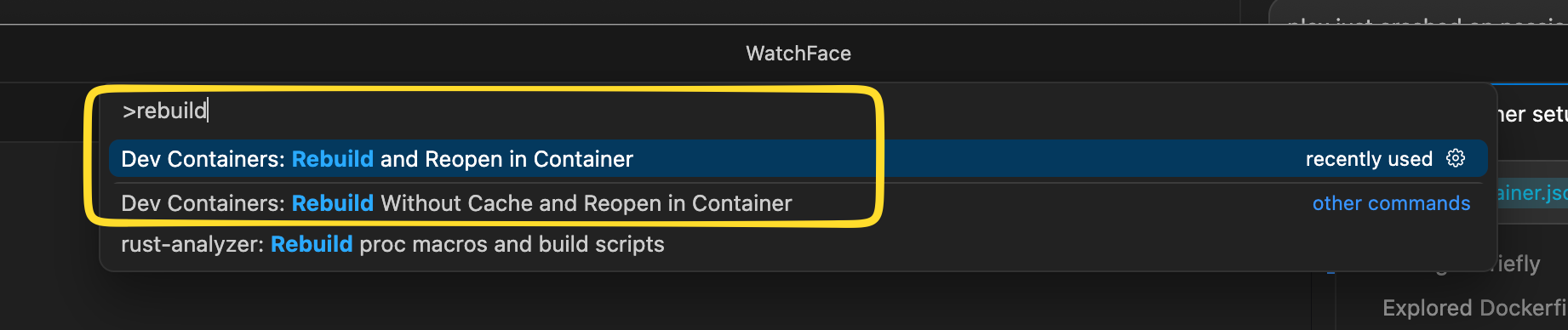
For most vanilla projects, you can probably stick to one of the Docker images that Microsoft provides, and you will not need to provide your own custom Dockerfile or interact with Docker at all. For instance, for Node.js, I tend to use node:24-bookworm.
The idea is that you use a base image with dotnet, node, php, rust, etc., and then customize the experience via two mechanisms. You can use features to install another tool (e.g., git or terraform; see the list), and you can use postCreateCommand to run setup commands inside the container after it is created.
Everything runs in a Linux environment in a /workspaces directory that bind-mounts the project files from the host system and automatically forwards the localhost ports from the Linux VM to the host. The experience is mostly seamless as long as your project is headless, e.g., a web application. Native tools on the host (e.g., an icon editor) can also access the same files as those in the container.
As an example, here’s my devcontainer.json for a custom watch face project for an Amazfit Active 2.
{
    "name": "amazfit-watchfaces-dev",
    "image": "node:24-bookworm",
    "remoteUser": "node",
    "customizations": {
        "vscode": {
            "extensions": [
                "dbaeumer.vscode-eslint",
                "esbenp.prettier-vscode",
                "EditorConfig.EditorConfig"
            ]
        }
    },
    "remoteEnv": {
        "NPM_CONFIG_PREFIX": "/home/node/.npm-global",
        "PATH": "/home/node/.npm-global/bin:/usr/local/bin:${containerEnv:PATH}"
    },
    "postCreateCommand": "mkdir -p ~/.npm-global && npm ci && npm i @zeppos/zeus-cli -g && zeus config set simulator_host=host.docker.internal && node -v && npm -v && zeus -v",
    "runArgs": [
        "--name=amazfit-watchfaces-dev",
        "--hostname=amazfit-watchfaces-dev",
        "--add-host=host.docker.internal:host-gateway"
    ],
    "features": {
        "ghcr.io/devcontainers/features/git:1": {}
    }
}
This is very close to a vanilla container setup. It uses the node:24-bookworm container image, with git added as a feature and a handful of extensions for Cursor/VS Code. The runArgs parameters pass explicit names so I can identify the containers in OrbStack.
The postCreateCommand should probably live in a separate .devcontainer/post-create.sh script because it is getting long, but it shows you the kind of command that can be executed without having to use a custom Dockerfile.
For this particular project, I use Affinity Designer, a fully featured GUI Mac app on the host, to edit and export assets for the watch face. They are automatically picked up by the container as if everything were running locally.
This project is also weird. I added the rather powerful permission "--add-host=host.docker.internal:host-gateway", which makes it possible for the container to reach the host from within the container. This weakening of the containment is motivated by the fact that I need to run the Zepp Watch emulator, and I chose to run it on the Mac directly rather than virtualize everything in a VM. That’s one of the strengths of dev containers: you can make the boundaries as strict or as porous as you need them to be.
If you need more customization, you can use a combination of devcontainer.json and a custom Dockerfile. For more complicated projects, I tend to do this and opt out of the features functionality to control my development dependencies with mise. Previously, I used devenv for this purpose, but the lack of support for Windows and sfw made me prefer mise. Both tools serve the same purpose: they act as pseudo-package managers, install development tools, and pin the exact versions in lock files that can be committed. This makes builds more reproducible than simply specifying node:24-bookworm in devcontainer.json or Dockerfile, since that effectively uses whatever the latest version is on the day the container is built.
By default, the Git credentials and the SSH agent can be forwarded into the container. VS Code has no reliable per-container opt-out, so I work around this by clearing SSH_AUTH_SOCK and deleting its SSH-agent socket files from /tmp in post-create and post-start scripts.
Another trick I have found useful is to bind-mount some dot directories from the container to local directories on the host. This is useful for coding agents, as you can persist their authentication credentials across rebuilds of the dev container.
{
    "mounts": [
        "source=${localWorkspaceFolder}/.state/codex,target=/home/vscode/.codex,type=bind",
        "source=${localWorkspaceFolder}/.state/claude,target=/home/vscode/.claude,type=bind"
    ]
}
In conclusion, the container isolation workflow is seamless. As a bonus, you no longer need to deal with tools like nvm or, worse, package managers for Python or Ruby, which I have always found incredibly frustrating to use. You can experiment with agent harnesses like Codex, OpenCode, or Pi and let them run loose in YOLO/no-confirmation mode with a much-reduced attack surface.
Supply-Chain Attack Protection
The above steps better isolate your dev environment, hence reducing the potential blast radius of supply-chain attacks. But they do not attempt to avoid them. Let’s look into that.
First, we should acknowledge that these attacks can be very insidious. The Shai-Hulud worm managed to compromise very legitimate dependencies like PostHog, Mistral, TanStack, etc. This occurred despite some of these projects running on Microsoft’s trusted publishing platform as part of GitHub Actions. Counterintuitively, one of these attacks was facilitated by a compromised vulnerability scanner. In other words, these attacks occurred even in projects that followed security best practices. Once a trusted publisher is compromised, the attack can spread very quickly (in a matter of minutes) to other trusted dependencies.
So here’s what I do for node/npm:
- I don’t install recent packages by default. My limit is currently
7d. That’s a double-edged sword, though, as it could prevent a serious vulnerability fix from being installed. So pay attention tonpm auditand be ready to override. - I do not run post-install scripts automatically. This is now the default in recent versions of
npmanyway. - I use the free version of Socket Firewall, aka
sfw. Sadly, that only works fornpmandcargo, but not for NuGet, unless you have an enterprise subscription.
You can install sfw with mise or simply as a feature in a dev container, as shown below:
{
    "features": {
        "ghcr.io/devcontainer-community/devcontainer-features/socket.dev-sfw-free:1": {}
    }
}
The idea behind sfw is that it acts as a proxy for your package manager. In theory, Socket’s behavioral analysis should be able to detect Shai-Hulud–style attacks. In practice, you are supposed to run something like npx sfw npm i instead of just npm i. As it is very easy to “forget” to use the firewall, I also set up aliases for the npm and npx commands to use sfw. You can use type npm in the shell to confirm whether you are using the alias or the native npm command.
Finally, I use these kinds of options in .npmrc:
engine-strict=true
audit=true
fund=false

# Requires npm >=11.10.
min-release-age=7

# Older option
# ignore-scripts=true

# Requires npm >=11.16 for allowScripts / strict-allow-scripts.
strict-allow-scripts=true
The min-release-age option prevents the installation of packages that are too recent. strict-allow-scripts=true requires a very recent version of npm, but it means that post-install scripts will not run unless they are explicitly allowed in package.json, which is now the default in the latest versions of npm.
You can use npm approve-scripts --allow-scripts-pending and npm approve-scripts <package...> to approve selected packages. It appends a section to your package.json that pins their exact versions:
{
    "allowScripts": {
        "@tailwindcss/oxide@4.1.13": true,
        "esbuild@0.25.10": true,
        "fsevents@2.3.3": true,
        "sharp@0.34.5": true,
        "workerd@1.20260623.1": true
    }
}
I am aware that pnpm has had these options available for a while, so this is a good alternative if you cannot update to the latest version of node/npm. However, the advantages of pnpm are lost on me since all my code runs in containers.
For rust/cargo, I use the same sfw setup. But most of the aforementioned .npmrc options are not yet available in the stable build of cargo.
The only downside is that you cannot use sfw for free with NuGet for C#, the third package manager I tend to use. Support for NuGet exists, but it requires an enterprise subscription.
All of the above is well and good, but I am under no illusion: it is far from a perfect solution, and I share Paul McCarty’s sentiment that bad guys will find a way. That being said, security is layered: you don’t need to outrun the bear, just the other guys. If the container were to be compromised, the blast radius should be limited mostly to a single project. Malicious changes and agent credentials may persist in bind-mounted directories, but as we will see in a minute, there should be no production secrets to steal.
SSH Key Hygiene
I have been gradually cleaning up my SSH keys.
Previously, I had a set of password-protected SSH keys lying around in ~/.ssh and relied on the native integration with macOS Keychain to avoid having to enter the password multiple times.
While this was a convenient setup, it had a few issues:
- The passwords were not very strong, so someone who stole the keys could realistically crack them with Hashcat.
- Any agents running on my computer could access these keys and roam around servers. (Don’t ask how I know.)
- In theory, if Shai-Hulud ran loose on the Mac, it would have the same access as the agent and would basically get all the private keys and passwords.
- Those keys had never been changed since the time of the Mac dinosaurs running on Intel CPUs (…or maybe before that?)
Solution:
- For connecting to servers, I am now using Secretive. The SSH key physically resides in the Secure Enclave, and you can configure access to always require fingerprint authentication.
- However, I keep using the traditional setup for SSH keys used to connect to GitHub/Bitbucket. For these, all my passwords look like
kn!2M#DlXGcf9!EK65LPdi&rt$CT7$*U. - Since I do not use any CI/CD pipelines, the compromise of my GitHub environment would have a limited blast radius.
- For VMs or dev containers that need them, I have SSH keys scoped to a project (via deployment keys).
- Old keys have been put in an encrypted archive and removed from the live system.
Well, in theory. At the time of writing, I have not finished moving everything to Secretive. It is surprising how long it takes to do. But having to move the keys out of the archive is annoying enough that it will eventually get done.
In any case, any naughty agent or Shai-Hulud worm running loose on my workstation would now at best have access to my GitHub repository. It could not connect to any remote Linux servers or sensitive systems. The latter always require biometric interaction, and since that is enforced by the Secure Enclave, that requirement would survive a full compromise of the host system.
Secrets Management
Shai-Hulud attempts to steal or use all of the credentials in .env or .aws/credentials files. Although I managed to strengthen my development environment against this risk, it is by far the least satisfying part of the journey, which is why I kept it for last.
First, we all understand that persistent, never-expiring, god-mode tokens sitting on a drive, waiting to be stolen, are far from ideal. Microsoft, in their infinite wisdom, retired npm tokens for this reason. This was a move that was partially self-serving, since OIDC trusted publishing nudges you to use GitHub Actions, which Microsoft also happens to own. But, as previously mentioned, trusted publishing and GitHub Actions did not prevent previous Shai-Hulud attacks.
These incidents prove that it is not enough to use a secret manager like Vault, Doppler, 1Password, or Bitwarden. These tools are a step up from .env files, but Shai-Hulud or coding agents can leverage their access to the environment to use the credentials in the same way you or your CI/CD pipeline can. The fundamental issue is that the retrieval of these secrets is frictionless; they can be used without anyone noticing.
I wanted to solve more than just encryption at rest. As I rarely need to “touch” the production environment, I wanted to replicate what I did for SSH with Secretive, and introduce friction in the process. My requirements are that secrets are always encrypted using device-bound keys and gated via biometric access.
I have looked at all the aforementioned tools, and more, but my understanding is that none of them have this kind of functionality in their free tier. The most promising tool I found is Varlock. It replaces .env files with .env.schema files that codify the expected types and provide a level of validation. The .env.schema files can be committed since the secrets are encrypted, and the tool integrates tightly with toolchains like Vite. It is also password/secret-manager-agnostic, so it integrates with the vault of your choice, including the macOS Keychain with Touch ID support. But alas, none of this works in the context of dev containers or virtual machines.
So, in the end, I had to hack together my own solution using shell scripts:
- First, tokens are generated per project, have only the minimum set of permissions they need, and are all IP-restricted since I have a stable IP address.
- I use age with age-plugin-se, which interacts with the Secure Enclave on a Mac, to encrypt all of the tokens.
- This turns my
secrets.envfiles intosecrets.env.agefiles, which are safe to commit to Git. - If both of my Macs die, I can generate new secrets in AWS, Cloudflare, etc. This also ensures the secrets get rotated upon hardware refresh.
- I access the secrets via a combination of a
unseal.shscript running in the container and ahost.shscript running on the host. - The host exposes a
localhostport, and as soon as it receives a request, the Touch ID window fromage-plugin-seshows up. - If the request is approved, the script decrypts and streams the secret back to the caller, who can set the environment using
source. - Once the credentials have served their purpose, the shell is closed in the container, and the environment variables are gone.
- To make this setup somewhat secure,
host.shgenerates a secret token on startup, which the dev container has permission to read and is expected to pass in the request.
Is this great? No. Not really. It sucks! But it is definitely a step up from leaving unencrypted secret.env files lying around. The fundamental issue is that I could not find a way for a bona fide secret manager running inside a dev container to communicate with its host’s Secure Enclave. This setup is relatively simple: you can commit both the shell scripts and the encrypted secrets to the Git repository. The main weakness is that, in its current form, the communication channel is far from secure. I have set up a skill to semi-automate the setup with agents in the meantime. Use at your own risk™.
Ideally, I would like to create a proper Varlock extension so I can integrate with Vite secrets and tighten the communication channel to make man-in-the-middle attacks impractical. An immutable, append-only, cryptographically signed access log would be nice too. Another thing to consider would be to leverage temporary secrets when possible, something that is supported by some cloud providers. But as the adage says, perfect is the enemy of the good…
Conclusion
The whole Shai-Hulud saga was a great scare and a call to action. It forced me to change my working practices, and I encourage you to do the same.
In a nutshell:
- I now do all of my work in dev containers or VMs. Consequently, I often remove all guardrails from AI agents.
- Scanning packages installed via
npmorcargowith the Socket Firewall is reminiscent of what I do before installing software: scan it via VirusTotal. - I have cleaned up all of the tokens on my personal computers. New tokens are project-scoped and encrypted using device-bound keys.
- The same approach was taken for SSH keys that can access remote servers, but not for GitHub access as that would be too impractical
- The additional friction of using Touch ID and the Secure Enclave reduces the risk of unattended attacks.
Things I need to improve:
- The
devsealscripts I use for protecting secrets are a hack. I really need to invest in a new solution. Ideally, one of these secret or password managers would support dev containers in a way that requires validation on the host. - I cannot use Touch ID or the equivalent on Windows. So, I also need to find a way that works on that platform, maybe using the TPM with a YubiKey.
I will not fear. Fear is the mind-killer, but a careless npm install is how Shai-Hulud finds the way in.